DATA ENGINEERING
Data Engineering with Jupyter MCP
Build data notebooks by chatting with your IDE


Build data notebooks by chatting with your IDE
Difficulty
Beginner
Time to complete
60 minutes
Availability
Pro
BUILD
Connect Jupyter to PostgreSQL and create data visualizations with natural language. Query databases and build charts without memorizing SQL.
Set up the Jupyter MCP server in Cursor settings. Verify your connection is active so you can control notebooks through plain English chat
Create demo.ipynb with markdown cells for context and Python code cells. Write queries that fetch real customer data from PostgreSQL
Start Jupyter Lab in your browser and execute your notebook cells. See live query results appear instantly as you explore the data
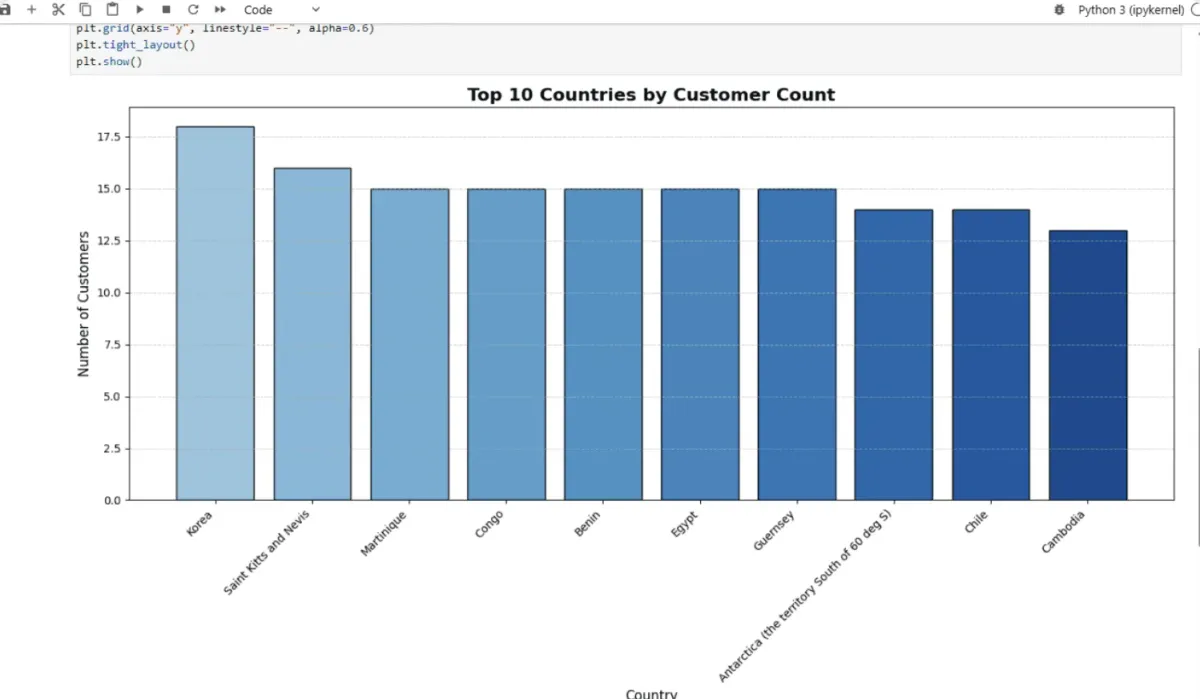
Ask Cursor to generate bar charts showing customer distribution. Improve styling and add professional touches through natural conversation
Every project documents itself as you go. Finish the work, and your proof is ready to share.
PROJECT
Interactive Python environment for data analysis and exploration
Use psycopg and pandas to manipulate database results
Connect AI assistants to data sources and external tools
Fetch and transform data from PostgreSQL in notebooks
Create bar charts and visual insights with Matplotlib
Build reproducible data workflows you can run repeatedly

Interactive notebook environment for Python data analysis and visualization

AI code editor that controls Jupyter notebooks through natural language
NextWork is a platform that actually gives you projects to do and get proficient at or to cater to my learning style. It walks you through how to build things. And I love that solid learning.
Current NextWork Student
OUTCOME
Roles where these skills matter:
Continue your data engineering journey. Build real-time pipelines, analytics dashboards, and production data systems

60 minutes from now, you'll have completed Data Engineering with Jupyter MCP. No prior experience needed. Just step-by-step guidance and a real project for your portfolio.
Beginner-friendly